Configuring SSO for Azure AD and Entra ID
 Security and navigation
PERMISSIONS Security level with Admin permission to configure Resources/Users (HR). Refer to Admin security settings.
PERMISSIONS Valid Azure / Entra ID account with Administrator permissions
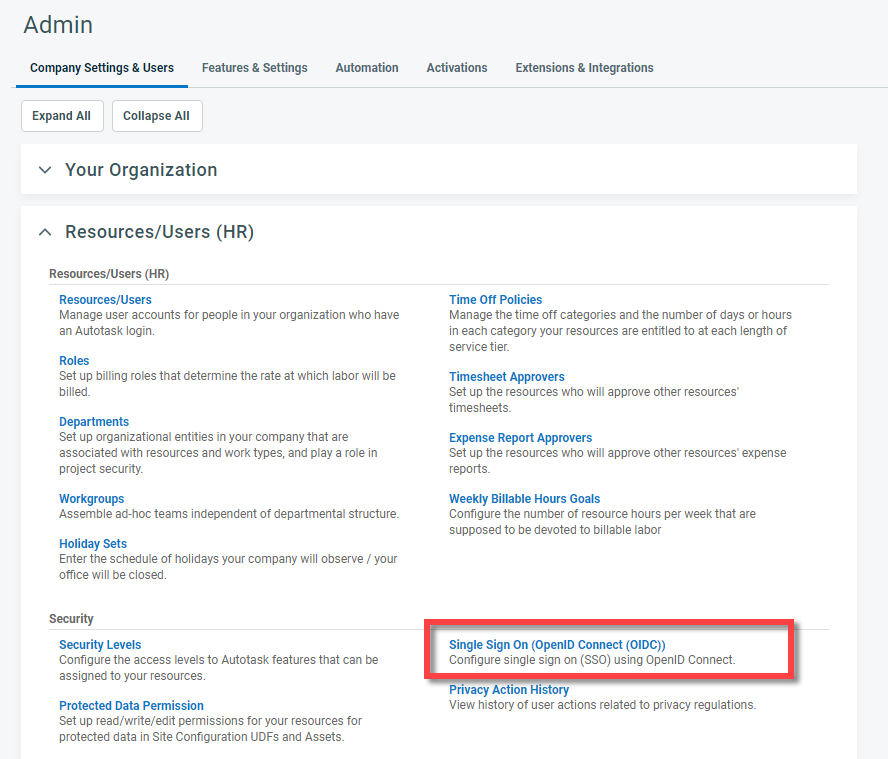
NAVIGATION Left Navigation Menu > Admin > Admin Categories > Organization Settings & Users > Resources/Users (HR) > Security > Single Sign-On (OpenID Connect (OIDC))
This topic provides vendor-specific information about how to configure the Autotask integration with Microsoft Azure Active Directory. For general instructions, refer to Configuring Single Sign-On (OpenID Connect).
The following steps duplicate the configuration used by our developers to enable successful use of Azure AD and Entra ID with Autotask's Single Sign-On (Open ID Connect). We cannot anticipate every customer's unique Azure AD / Entra ID configurations, or software updates released by Microsoft. If you receive errors after following the configuration steps below, submit a Kaseya Helpdesk request.
To configure the integration, Autotask and Azure must be open at the same time, and you must be logged in to both Autotask and portal.azure.com or https://entra.microsoft.com as an administrator.
General mapping
To configure single sign-on for Azure AD / Entra ID, do the following:
Register the app
To register the Autotask integration in Azure / Entra ID, do the following:
- Navigate to App registrations. Refer to Navigating to the App registration page.
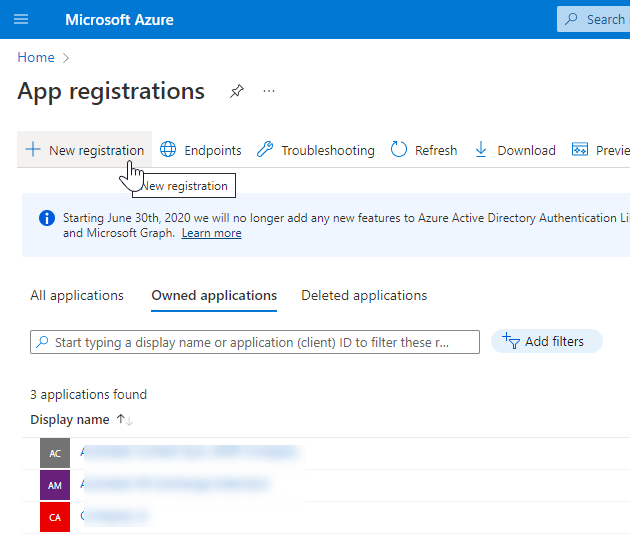
- Click New Registration. The Register an App page will open.
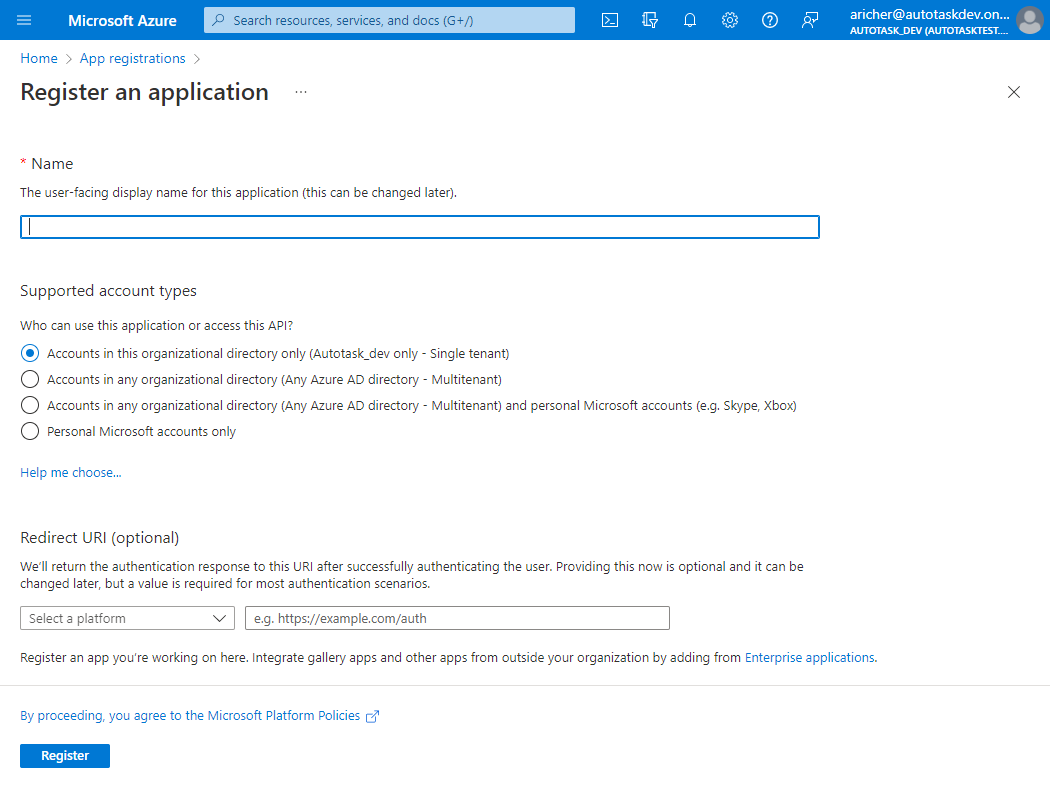
- Complete the following fields:
| Field | Description |
|---|---|
|
Name |
Enter the user-facing name for this application, for example "Autotask." |
|
Supported account types |
Your selection here will determine who can use this application. If you are unsure, select Accounts in this organizational directory only. |
|
Redirect URI (optional) |
Toggle to the Autotask Single Sign On (OpenID Connect) page and copy the URL in the Callback/Redirect URL field. Toggle back to Azure, select Web as the platform, and paste the field value into the second field. |
- Click Register. A dialog will pop up to let you know that you successfully created the app, and the page for the new app will open.
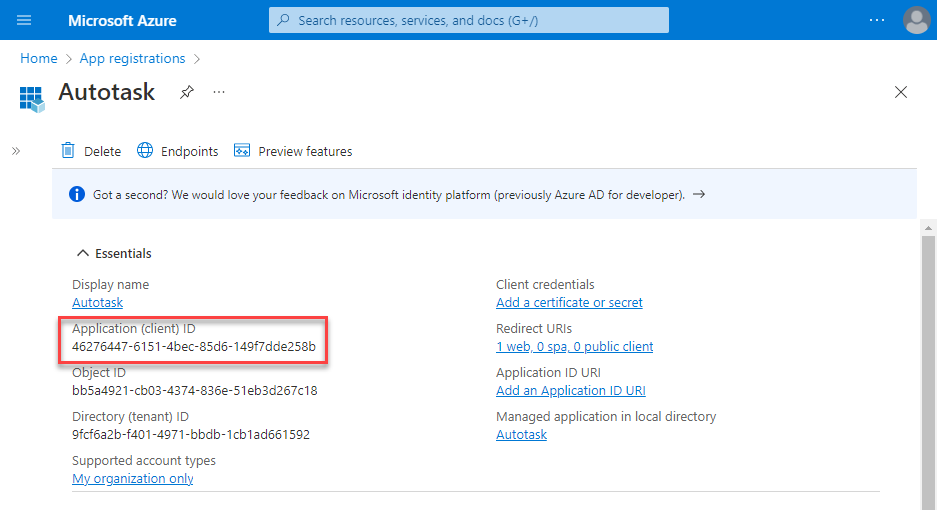
- Right below the Display name, you will see the Application (client) ID and Directory (tenant) ID.
Copy fields from Azure / Entra to Autotask
| In Azure / Entra | In Autotask | Description |
|---|---|---|
|
Application (client) ID |
Client ID |
Copy the Application (client) ID into the Client ID field in Autotask. |
|
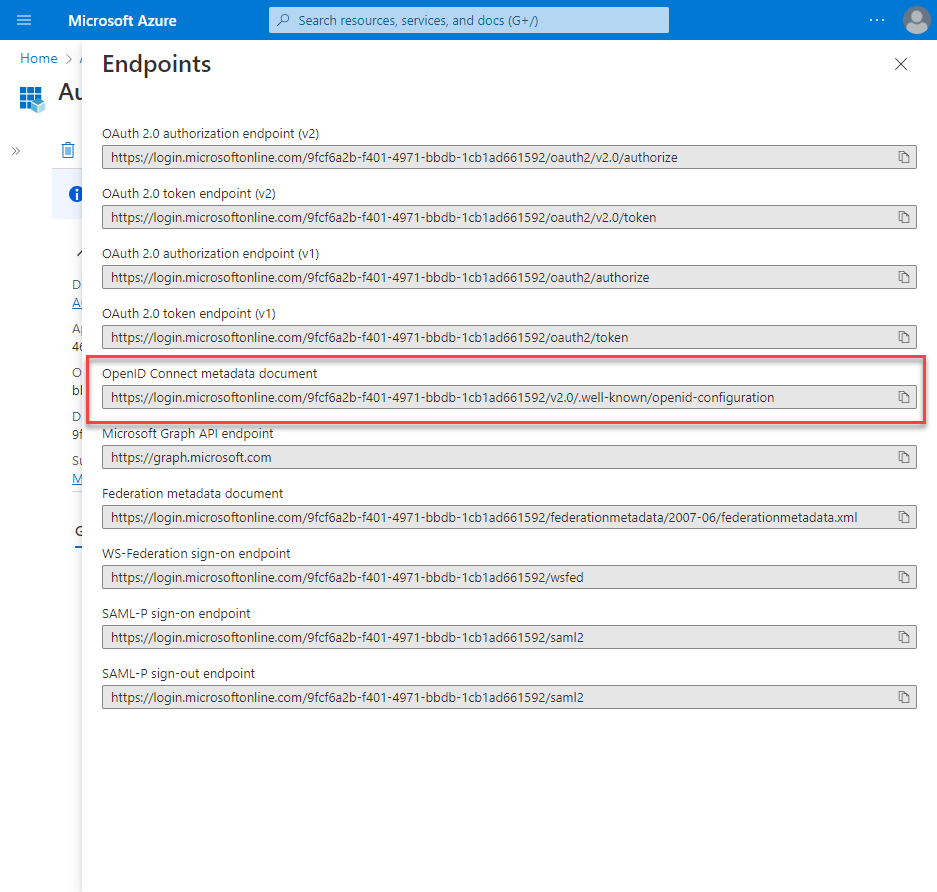
OpenID Connect metadata document URL |
OpenID Connect Discovery Document |
Click the Endpoints button and copy the OpenID Connect metadata document URL into the OpenID Connect Discovery Document field in Autotask. Close the Endpoints window. |
|
New client secret |
Client Secret |
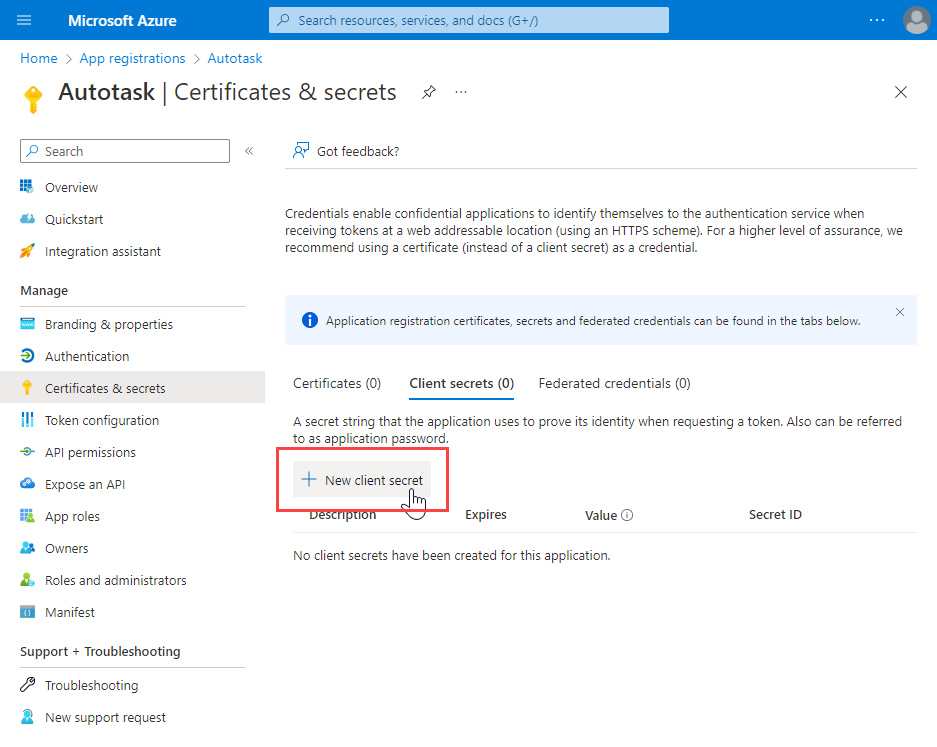
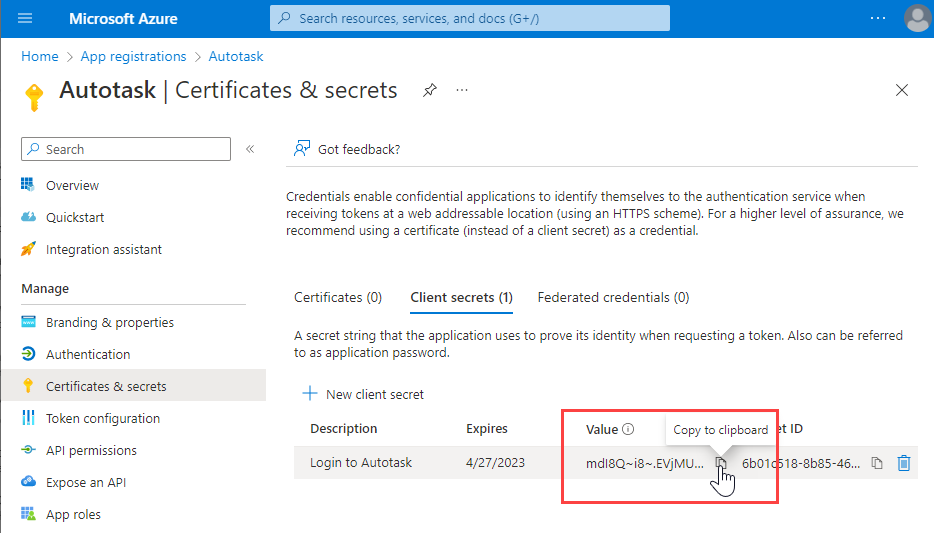
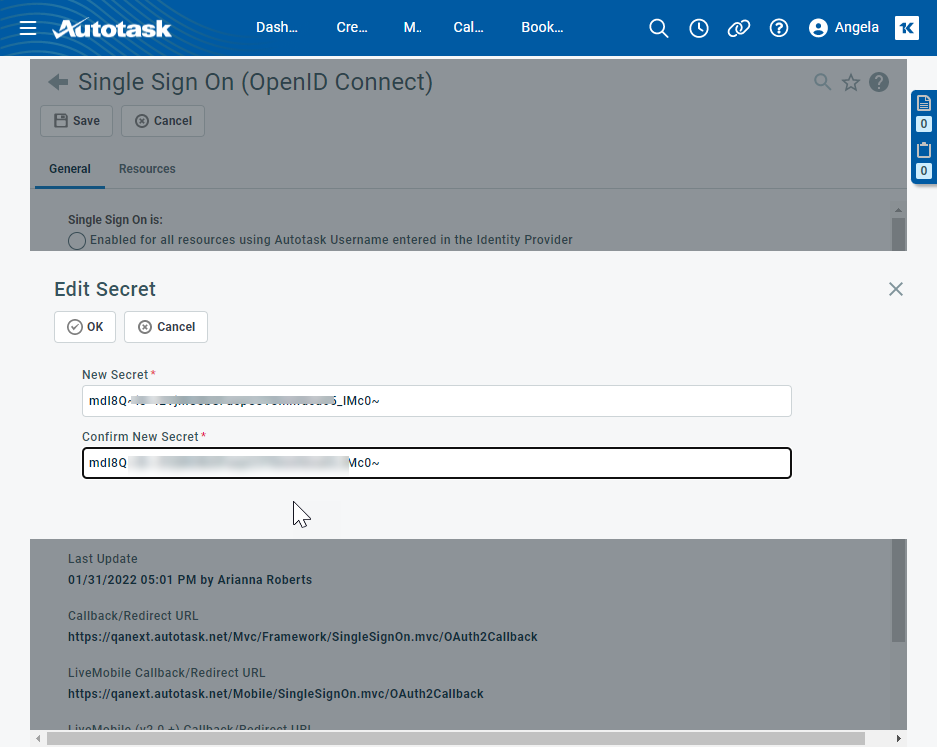
Under Manage > Certificates & secrets, click New client secret. In the dialog window that will open, enter a Description and select an expiration date and click Add. The dialog window will close. Immediately, copy the Value field of the client secret, since it will be encrypted as soon as you leave the page. Switch to Autotask, and click the Edit link of the Client Secret field. Paste the value into the New Secret and Confirm New Secret fields, and click OK. |
 Copy fields from Autotask to Azure / Entra
| In Autotask | In Azure | Description |
|---|---|---|
|
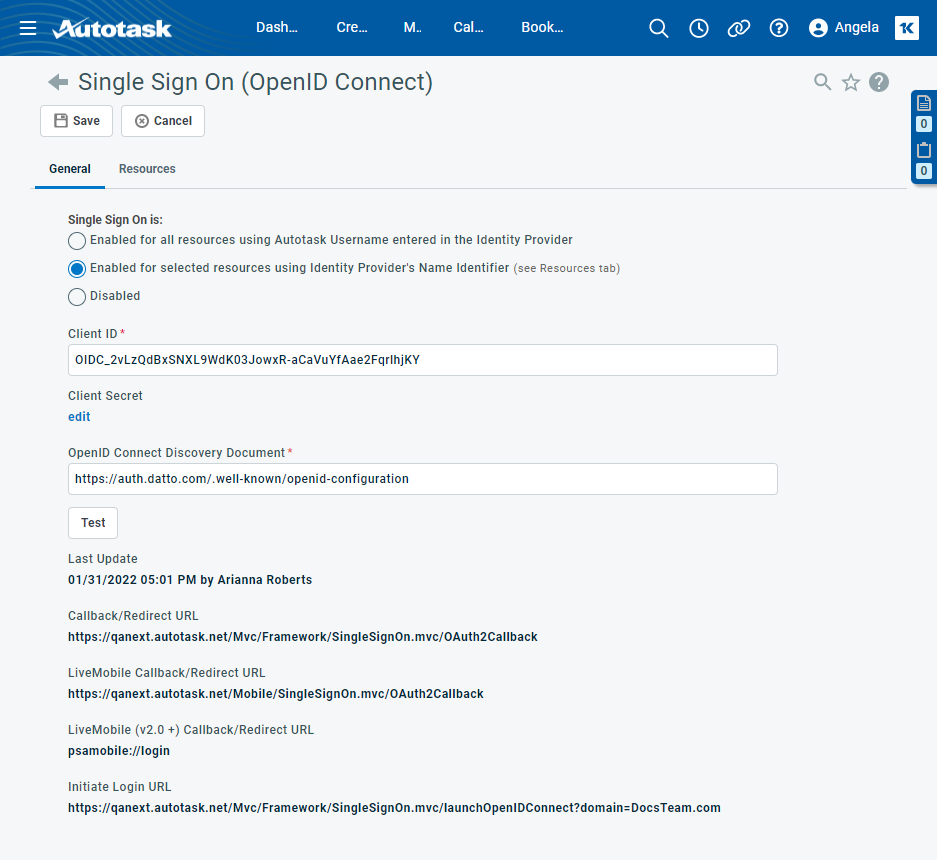
Initiate Login URL |
Home page URL |
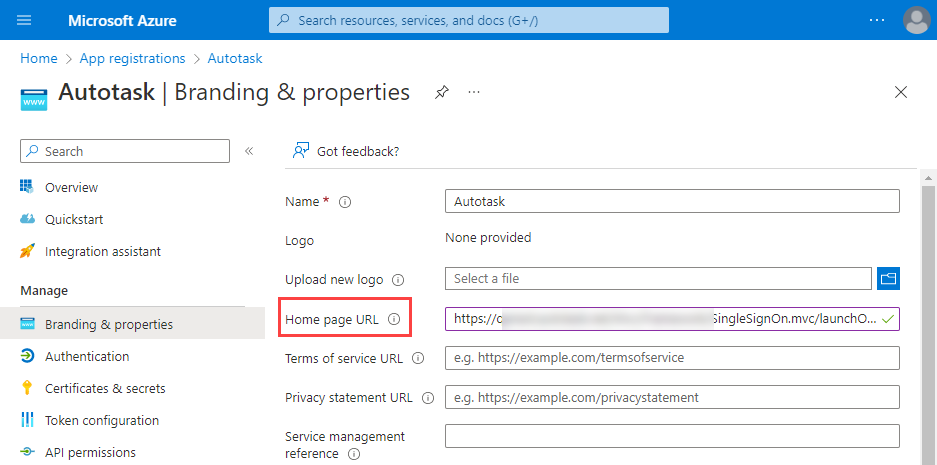
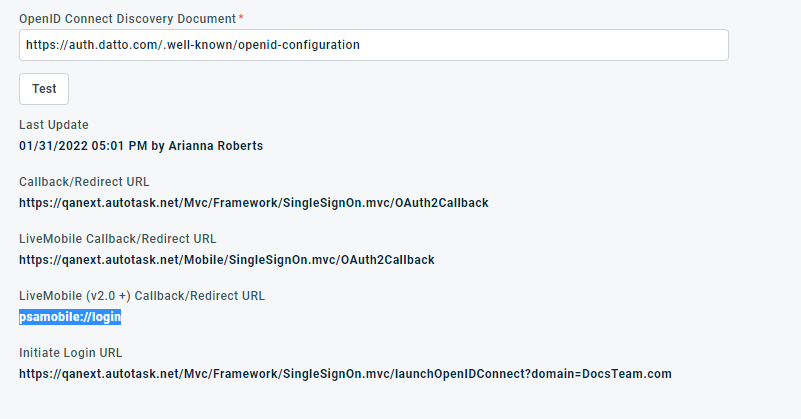
In Autotask, copy the Initiate Login URL. Switch to Azure and under Manage > Branding & properties, paste it into the Home page URL field in Azure. Click Save. |
|
LiveMobile (v2.0 +) Callback/Redirect URL LiveMobile Callback/Redirect URL |
Custom redirect URIs |
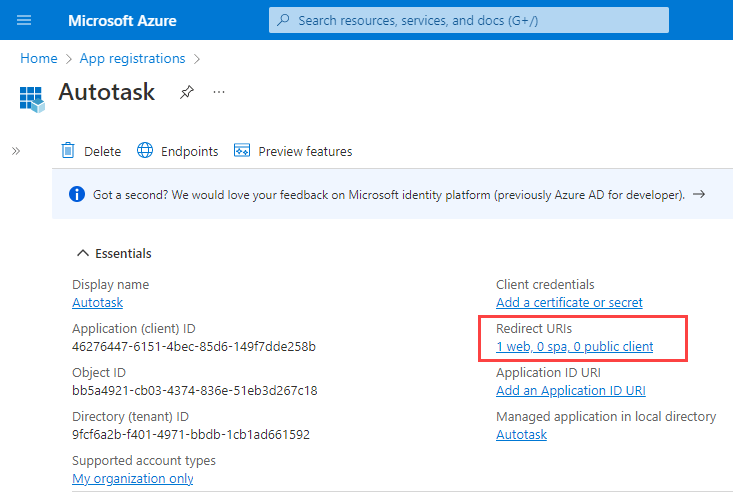
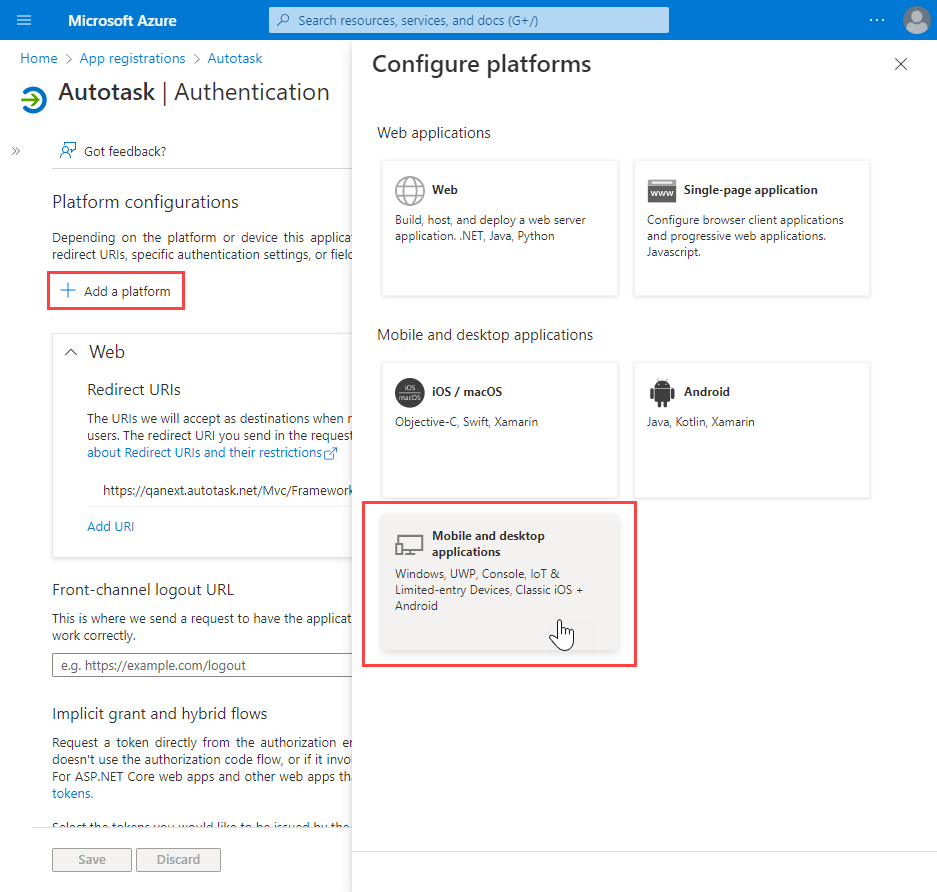
In the Overview > Essentials section, click on the link below Redirect URIs. Click Add a platform and select Mobile and desktop applications. Switch back to Autotask and copy the LiveMobile (v2.0 +) Callback/Redirect URL. In Azure, paste it into the Custom redirect URIs field. If you are using the 1.0 version of the LiveMobile application, you will need to add the LiveMobile Callback/Redirect URL in addition to the 2.0+ URL. |
|
n/a |
Front-channel logout URL |
In the Front-channel logout URL field, enter https://ww#.autotask.net/Mvc/Framework/Authentication.mvc/InvalidateSession, where # is your zone number. NOTE Given how Microsoft has implemented this and how Autotask secures its session cookies, this log out URL will not behave as expected in all browsers. |
Save your settings in both applications.
Resource Mapping
IMPORTANT Since Azure AD and Entra ID do not support exposing custom attributes via OpenID Connect (i.e. setting the autotaskusername value for a user within the IdP), in Autotask, Azure AD and Entra ID clients must use the Enabled for selected resources using Identity Provider's Name Identifier option, where the user's unique ID from the IdP is set on the Autotask SSO page.
To map the user's unique ID from the IdP to the Autotask resource, complete the following steps:
- Open the Left Navigation Menu > Admin > Admin Categories > Organization Settings & Users > Resources/Users (HR) > Security > Single Sign-On (OpenID Connect (OIDC)) page.
- On the General tab, under Single Sign-on is:, select Enabled for selected resources using Identity Provider's Name Identifier. This makes the Resources tab available for selection.
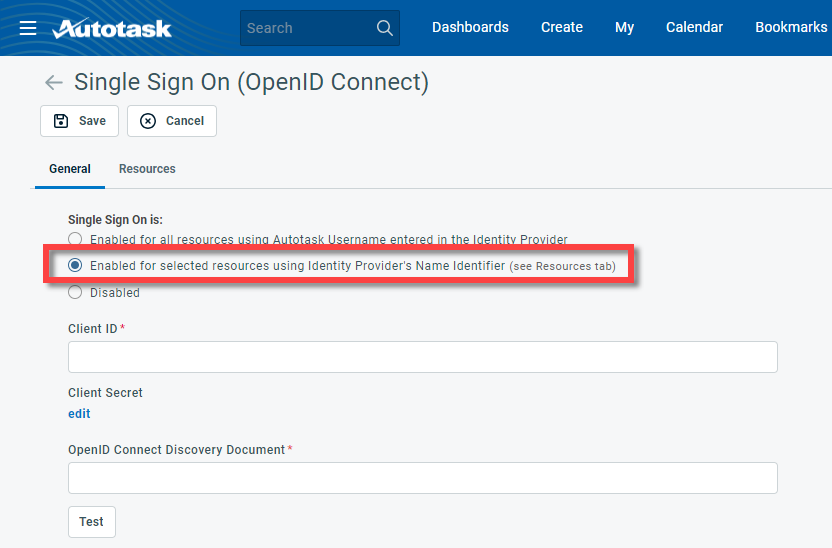
- Click the Resources tab.
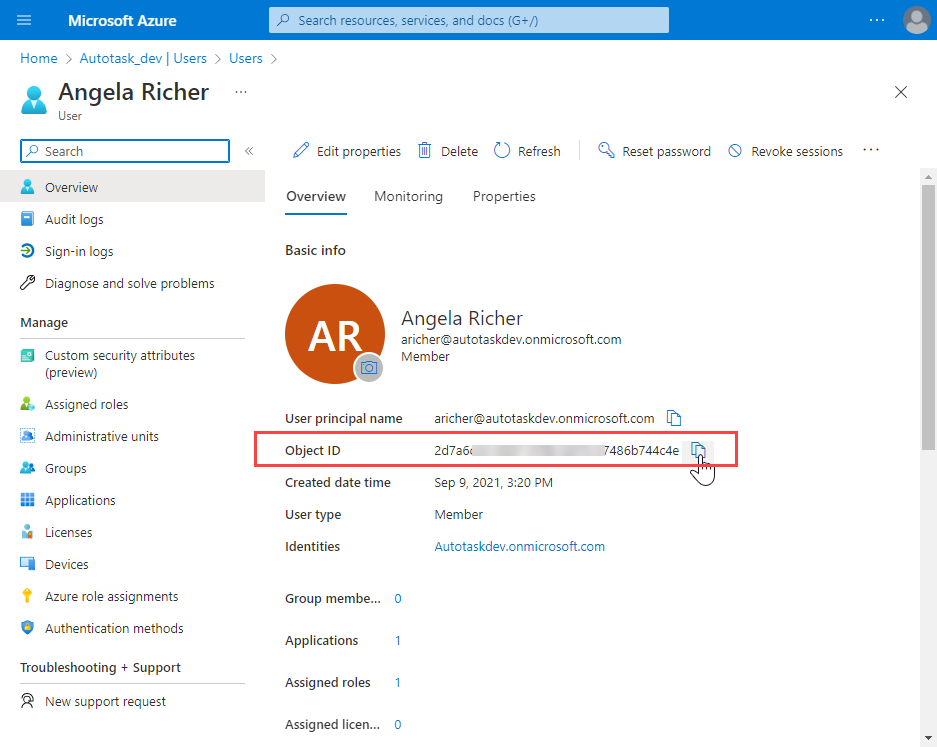
- Log in to portal.azure.com or https://entra.microsoft.com and navigate to Azure Active Directory > Manage > Users or Microsoft Entra admin center > Identity > Users.
- Click the name of the user you wish to map. The profile page will open.
- Copy the Object ID.
- Switch to Autotask and select the check box next to the resource name. Paste the value into the Unique ID field in Autotask.
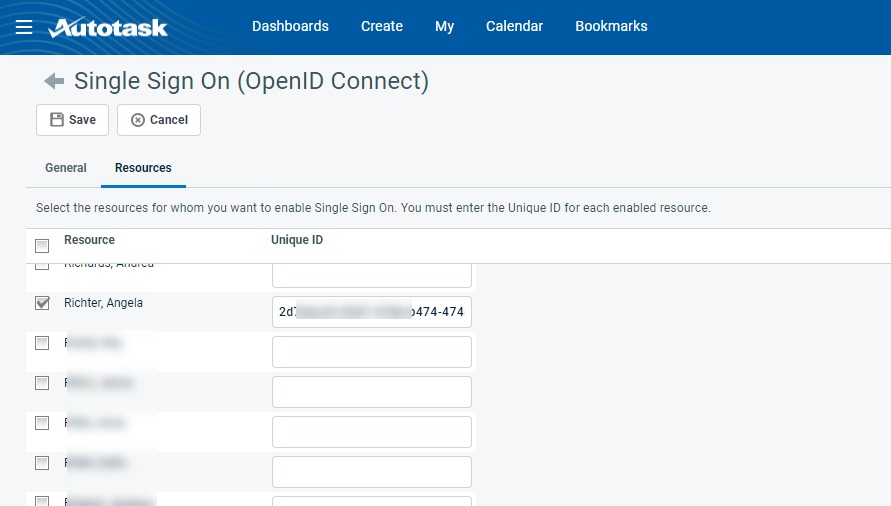
- Repeat steps 1 - 7 for each resource.


